
Playout: Earn Money
Loyalty GamingLifestyle
4.62.05K Reviews
- Version
- 1.17
- Installs
- 1.00M
- Age Rating
- Mature 17+
Screenshots
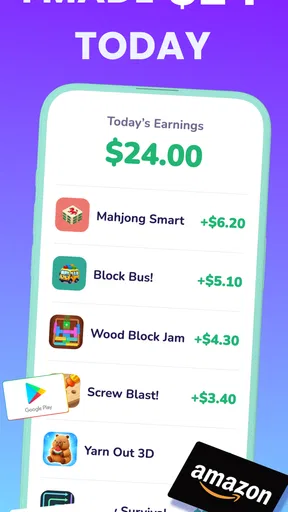
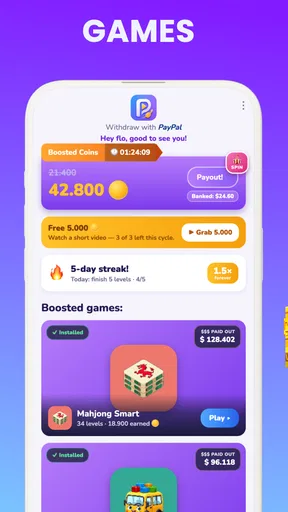

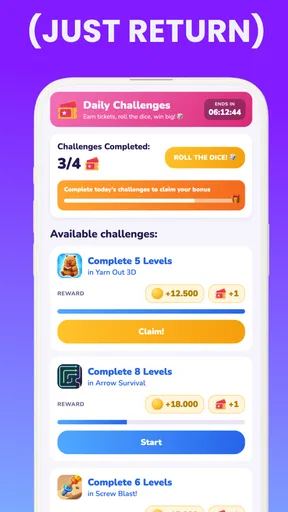
Our Review of Playout: Earn Money
 Analysis by Appyee
Playout: Earn Money is built around a simple lifestyle-app idea: get rewarded for things you already do and have a little fun along the way. That promise makes it easy to understand, but it also calls for sensible expectations. I’d approach it as an optional extra in my routine, not as a dependable source of income. The best way to use an app like this is to make its ordinary flow fit naturally around your day rather than spend time chasing rewards.
Getting a feel for Playout
There’s an appealing lack of ceremony in the concept. Playout presents itself as a way to earn extra money for everyday activity, with entertainment included in the mix. That combination gives the app a more casual feel than a tool aimed at budgeting or full-time work. It’s suited to someone curious about small rewards who is also willing to explore how the app works at their own pace.
The app sits in the lifestyle space and is developed by Loyalty Gaming. It is free to install, has a Mature 17+ content rating, and has attracted more than a million installs. Its overall reception is strong, with a 4.6 average from around 58,000 ratings and roughly 2,000 written reviews. Those figures suggest broad interest, though they don’t tell you exactly how much any one person will earn or how the experience will fit their habits.
With a current version of 1.17 and support for Android 7.0 and later, Playout is aimed at a wide range of Android users. The key thing, in my view, is to treat the reward angle as a bonus attached to an activity you would be comfortable doing anyway. If you find yourself changing your day just to engage with an app, the trade-off may not feel worthwhile.
A repeatable baseline routine
When trying Playout, I’d start by opening it at a convenient moment and taking a little time to understand the screens and choices it presents. Rather than tapping through quickly, I’d check what the app asks me to do, what counts as participation, and where it shows progress or rewards. That first pass makes later visits less confusing and helps establish a simple routine without relying on guesses.
Once the basic flow is clear, keep the habit lightweight. For example, you might check in when you have a natural pause in your day, explore the available activity, and then close the app when you’re done. This is less about squeezing every possible minute out of Playout and more about giving it a fair trial without letting it take over time you’d rather spend elsewhere.
I also recommend keeping your own expectations grounded. “Earn extra money” is an inviting idea, but the app’s central pitch alone doesn’t establish a particular amount, schedule, or outcome. I’d think of any reward as a possible small upside, not a guaranteed return for a fixed amount of time. That mindset helps keep the experience enjoyable instead of turning every session into a test of whether the app is paying off.
Settings and choices to review
Before settling into a routine, take a moment to review the settings and in-app choices that are actually visible to you. Look for options that affect how you use the app, such as preferences, account details, or notification controls if they are present. The practical point is simple: make the experience comfortable for your own schedule, and avoid enabling anything you don’t want to use.
It’s worth paying attention to the wording around an activity before starting it. I’d read any instructions in full, especially when they explain what you need to do to take part or how the app presents progress. That small pause can prevent needless repetition and makes it easier to distinguish between a task you understand and one you’d rather skip.
Notifications are another area where a deliberate choice can improve the experience. If Playout offers notification settings, select the level that suits you instead of allowing prompts to interrupt the day by default. A rewards app should fit around your routine, not constantly compete with it. If you prefer to check in on your own terms, a quieter setup may be the better match.
I’d also make a habit of reviewing the app’s current screens from time to time. Apps can change as they receive updates, and a quick look helps you notice any adjustments to the flow you already know. Playout is free, but your attention still has value; use the controls and information presented in the app to decide whether each activity is worth your time.
Faster patterns that stay honest
The most useful shortcut is consistency, not a secret trick. Experienced users tend to get comfortable with a familiar sequence: open the app, check what is currently available, read the relevant instructions, complete an activity they understand, and then review the result. Repeating that pattern reduces the chance of overlooking a detail and avoids aimless browsing.
Another practical habit is to keep Playout in a small, predictable slot. You could check it during a break or at another moment when you already have a few minutes to spare. The exact timing is personal; there is no need to build your schedule around the app. A repeatable cue—such as checking after finishing another everyday task—can make it easier to remember without turning the app into a constant distraction.
It can also help to decide in advance how much attention you want to give it. For instance, you might explore what is available and stop once you’ve completed the activity that feels worthwhile. This simple boundary is more reliable than chasing an undefined idea of “maximum rewards.” It keeps the experience low-pressure and makes it easier to judge whether the app belongs in your routine.
Keep your own notes only if they genuinely help. A brief personal record of when you used the app or what you tried can help you reflect on whether the experience suits you, but there’s no need to turn casual use into a spreadsheet project. The goal is to make a clear decision based on your own experience, not to manufacture a complicated system around a lifestyle app.
Where expectations should stay realistic
Reward-based apps can be appealing, but the value of any particular activity depends on what the app presents and how you feel about spending time on it. Playout’s summary promises rewards and fun, yet a broad promise isn’t the same thing as a specific earning guarantee. I’d avoid making plans around expected income and would never treat an untested reward as money already in hand.
There’s also a difference between enjoying an activity and feeling obliged to keep going. If an option stops being entertaining or no longer feels worthwhile, it’s reasonable to step away. The app is intended to add something to ordinary life; it shouldn’t create pressure to keep checking in just because rewards are part of the pitch.
Age suitability deserves attention as well. Playout carries a Mature 17+ rating, so it isn’t presented as an app for younger users. If you’re choosing apps for a shared device or considering who in your household should use it, keep that rating in mind. A quick review of the app’s content and settings is a sensible part of deciding whether it’s appropriate for you.
As with any app that involves rewards, read the current explanations shown in the app rather than relying on assumptions or someone else’s routine. Different people may use an app differently, and a good result for one person doesn’t establish the same result for everyone. Staying attentive to the details you can see is the best way to avoid confusing a promotional idea with a personal outcome.
Making the experience your own
After a few visits, the question I’d ask is not simply whether Playout has rewards, but whether its day-to-day flow feels worthwhile to me. Is it easy enough to understand? Do I enjoy the activities I choose? Does it fit into spare moments without getting in the way? Those are more useful measures of fit than trying to imitate another user’s schedule or searching for a shortcut that may not exist.
If the app feels natural, keep using the same modest routine and check for updates to its available options as you go. If it feels repetitive or takes more attention than you want to give, scaling back is a perfectly sensible response. A strong routine is one you can maintain comfortably, not one that demands constant monitoring.
Playout has a clear pitch, a free entry point, and a sizeable audience, while its Mature 17+ rating makes its intended age range important to consider. Its strongest appeal is the possibility of pairing ordinary app use with a bit of entertainment and rewards. For me, the smartest approach is to explore it carefully, use only the activities that make sense, and judge the experience by how it fits into real life.
Overall, Playout: Earn Money is best approached as a casual lifestyle app rather than a reliable income plan. Build a simple baseline routine, review the choices and settings that matter to you, and keep your expectations realistic. If its activities are enjoyable and the time feels well spent, it may make a pleasant addition to your spare moments; if not, there’s no reason to force it.
Privacy and Permissions
See what permissions an app requests and how it handles your data.
- Photos/Media/Files
- read the contents of your USB storage, modify or delete the contents of your USB storage
- Storage
- read the contents of your USB storage, modify or delete the contents of your USB storage
- Camera
- take pictures and videos
- Wi-Fi connection information
- view Wi-Fi connections
- Other
- view network connections, full network access, control vibration, prevent device from sleeping, Google Play license check
Verdict
Strengths of Playout: Earn Money
- Offers a simple way to earn rewards through casual gameplay.
- Provides a low-pressure option for filling short breaks.
- May appeal to players who enjoy trying different games.
- Reward tracking helps users monitor their progress.
- Getting started is straightforward for new users.
Limitations of Playout: Earn Money
- Earnings may be small compared with the time spent playing.
- Rewards can depend on completing specific milestones.
- Some offers may not be available in every region.
- Payout eligibility may involve minimum withdrawal limits.
- Tracking permissions may be required for some game offers.
Other Releases by Loyalty Gaming
View All
TesterMAX: Money & Gift Cards
Entertainment4.4
Similar Picks in This Category
View All
SmartThings
Samsung Electronics Co., Ltd.4.6

Google Home
Google LLC4.0

Pinterest4.2

Astrotalk - Talk to Astrologer
Astrology & Horoscope4.7

My Verizon
Verizon Consumer Group4.5

Samsung Wallet (Samsung Pay)
Samsung Electronics Co., Ltd.4.1
Frequently Asked Questions
What is Playout: Earn Money, and how does it work?
Playout: Earn Money is presented as a rewards app where users can earn points or other rewards by completing activities offered in the app. These may include playing games, trying services, or taking part in surveys, depending on what is available in your region. Read each offer’s instructions carefully, since eligibility and completion requirements can vary, and rewards are not guaranteed simply for installing the app.
Can I really earn money with Playout: Earn Money?
The app may let eligible users exchange completed activities for rewards, but earnings should not be treated as guaranteed income. The amount you can earn depends on the offers available, their requirements, your location, and whether the app confirms your activity. Before spending time or money on an offer, check its reward amount and conditions, along with the app’s current redemption rules.
How do I redeem rewards in Playout: Earn Money?
Redemption options and minimum payout requirements can change, so check the rewards or withdrawal section inside the app before you begin earning. It should explain which payment methods or gift cards are available to your account and how many points are needed. Allow time for tracking and review: some activities may take a while to appear as completed, and not every offer is approved automatically.
Why might an offer or reward not be credited?
Rewards can be delayed or declined if an offer’s conditions were not met, tracking was interrupted, or the activity was already completed on the same device or account. For the best chance of proper tracking, open offers through Playout, follow every step, and avoid using ad blockers or changing devices midway. Keep confirmation details, then contact the app’s support if the reward remains missing.
Is Playout: Earn Money safe, and what should I check before installing it?
Before installing, review the app’s current store listing, developer information, privacy policy, requested permissions, and recent user feedback. Reward apps may collect device or activity data to track offers, so understand what information is shared and with whom. Download only from an official app store, never pay a fee to claim a reward, and avoid providing sensitive information unless there is a clear, legitimate reason.
